Soloterm
A downloadable tool for Windows, macOS, and Linux
What Is It?
Soloterm is an application you run in the terminal (mac, windows, linux) to log your solo TTRPG sessions. Being a terminal based app, it has fast keyboard navigation.
You own the data. It's all right on your computer. No internet required. No account required.
What Can It Do?
Track Games
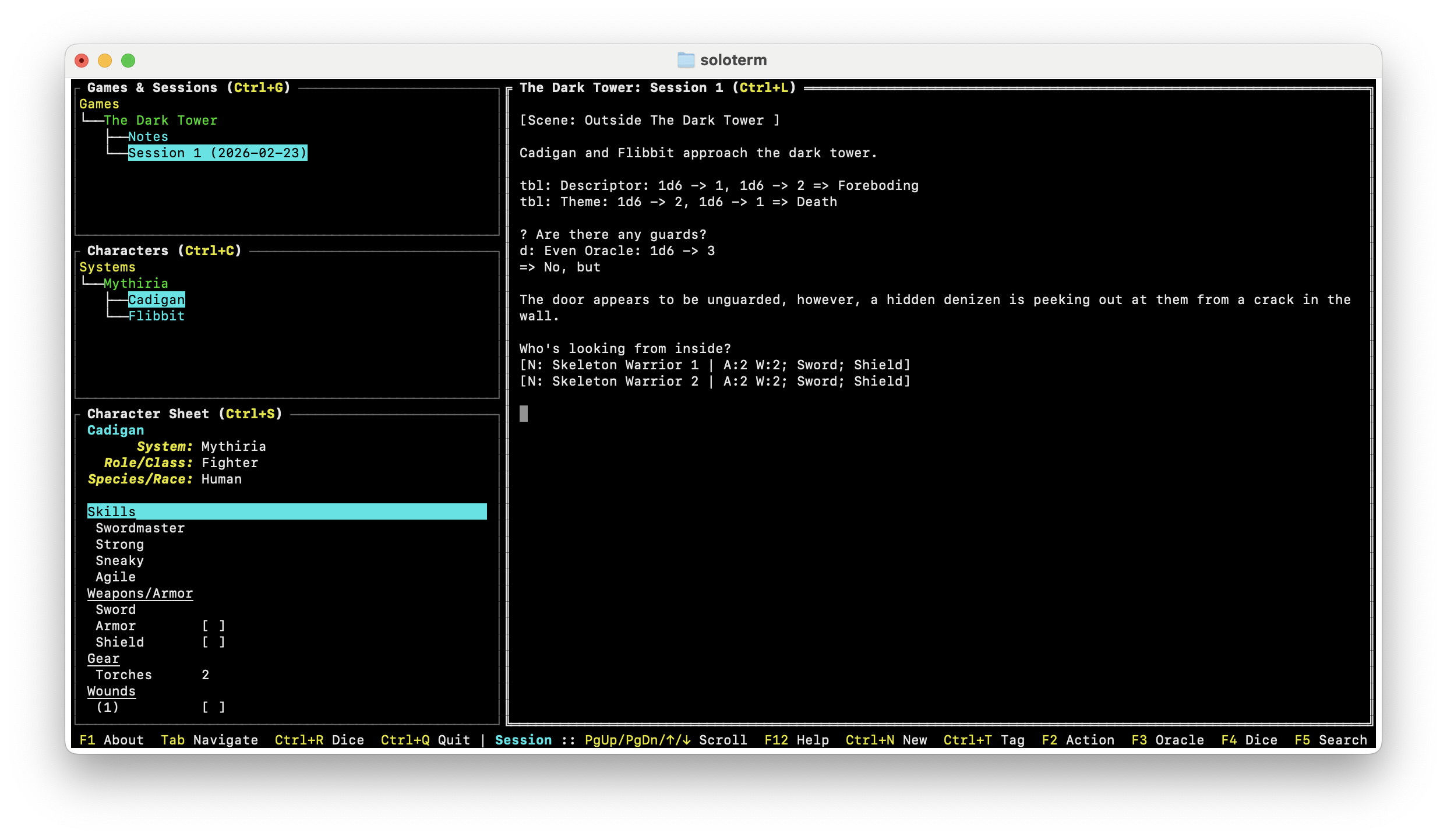
You create a game and track multiple sessions within the game. Games are just a name for adding session logs to. You'll need to add a game before adding logs.
Once you have a game setup, you can start adding session logs.
Log Sessions
Session logging is done via a simple text editor. The editor provides:
- Autosaving changes as you go
- No formatting is displayed, however, you can enter formatting (like markdown)
- Import/Export a session
Lonelog Tags
Lonelog is a syntax for session logging. It's great. Go check it out. I've added Lonelog support to session logging via tags.
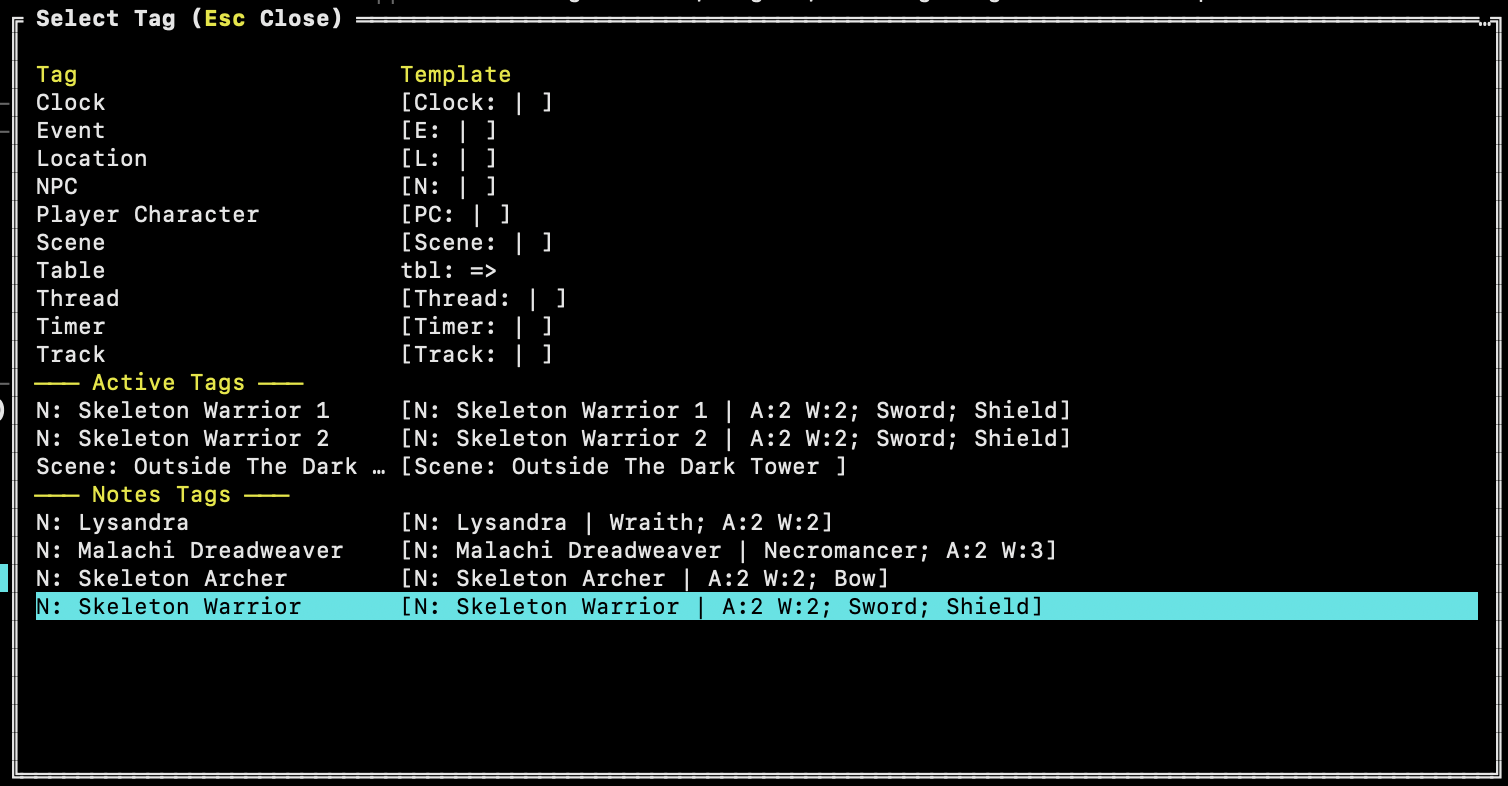
- Insert tag templates, then fill out
- Insert a core log (Character Action, Oracle Question, Dice) template, then fill it out
- It tracks "open" tags so when you open the tag modal, the most recent open tag appears for quick entry.
- You can customize the tag templates by editing the config.yaml file created when the application starts. Press F1 to find the config file.
Game Notes
Separate from session logs is game notes. Notes are intended to live beyond a single session. Things like the adventure hook, key NPCs, and location descriptions could go here. Any tags added here appear in the tag modal under a Notes Tags section.
Searching
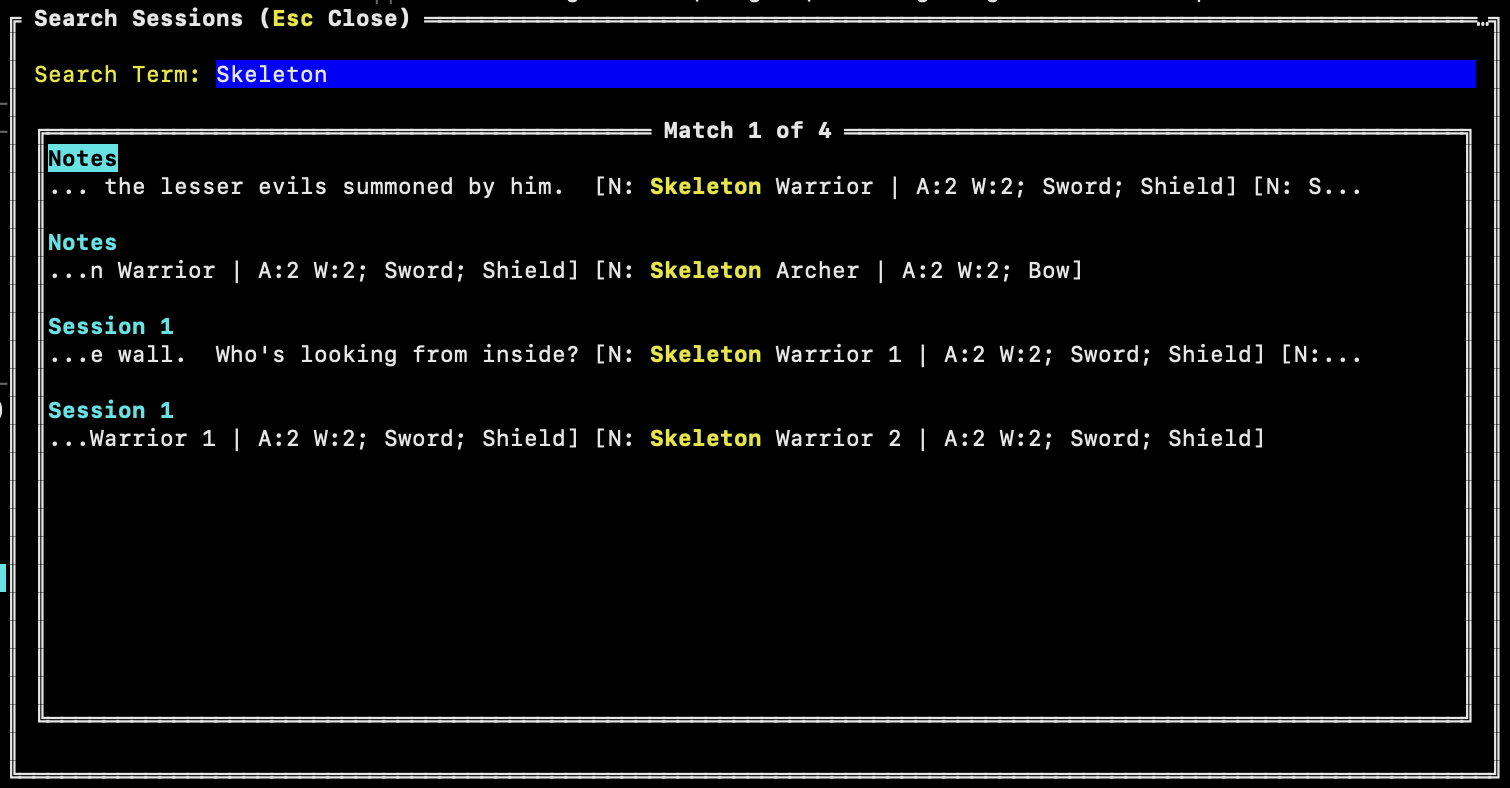
You can quickly search session logs and notes for details. A snippet of the content is provided for context and the words you searched for are highlighted in yellow. Picking the result will jump you straight to the proper location in the session or note.
Random Tables
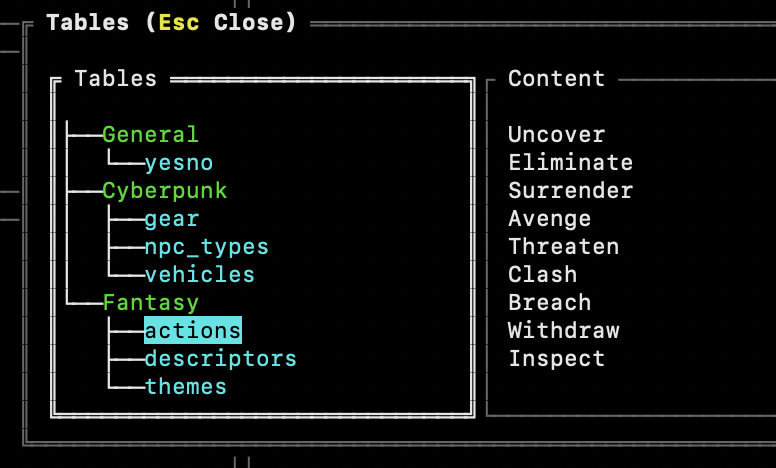
You can add random tables to the application which are then integrated into the dice roller allowing quick and easy random generation for the session log.
Dice Rolling
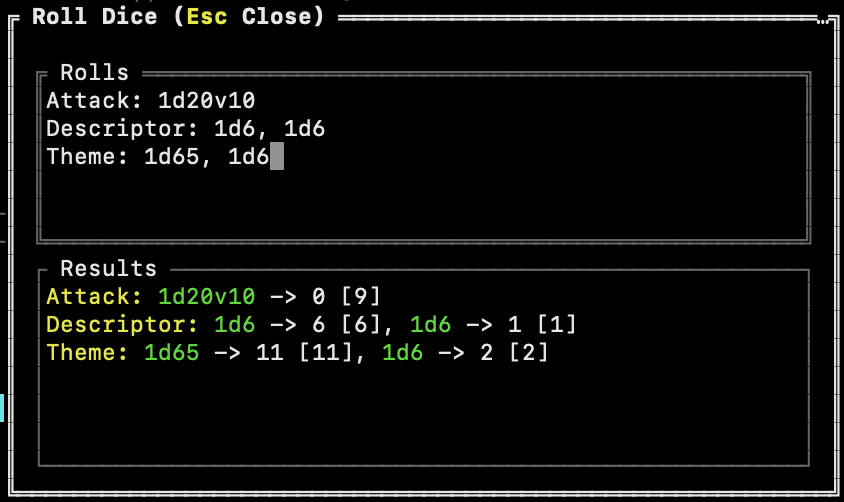
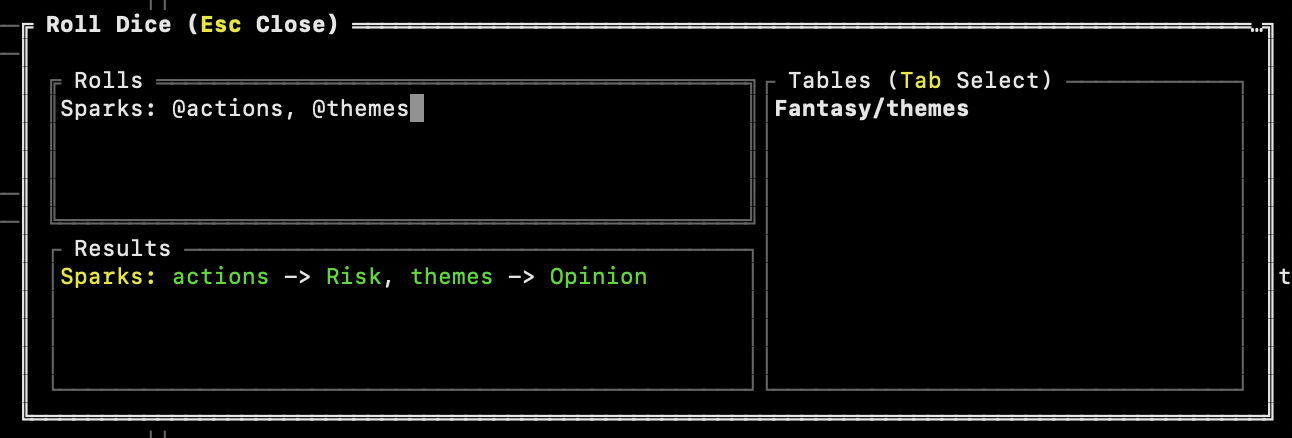
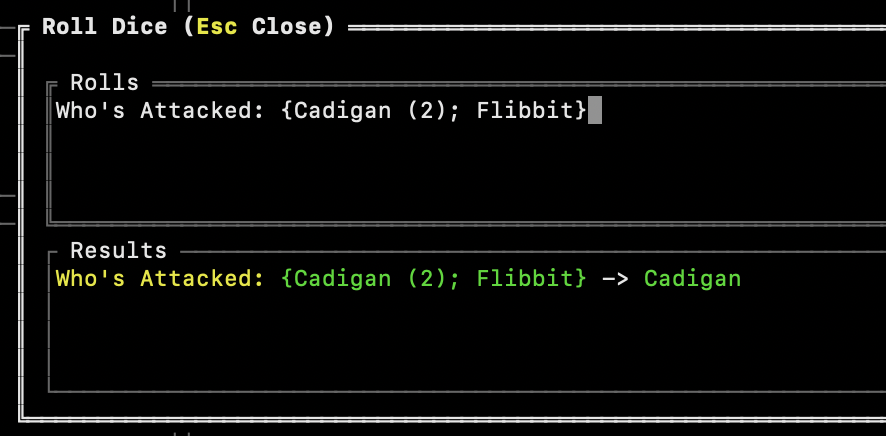
There's a flexible dice roller that allows you to quickly enter a standard dice notation (1d6, 2d6kh1, etc.) and get a result. You can enter multiple rolls and get the results in one key press. Once you have the result, you can insert it directly into the log.
You can also select from a list of entries, or roll on a random table.
Snippets allow you to save frequently used dice rolls, table references, and expressions for quick reuse directly from the dice roller.
Simple Character Sheets
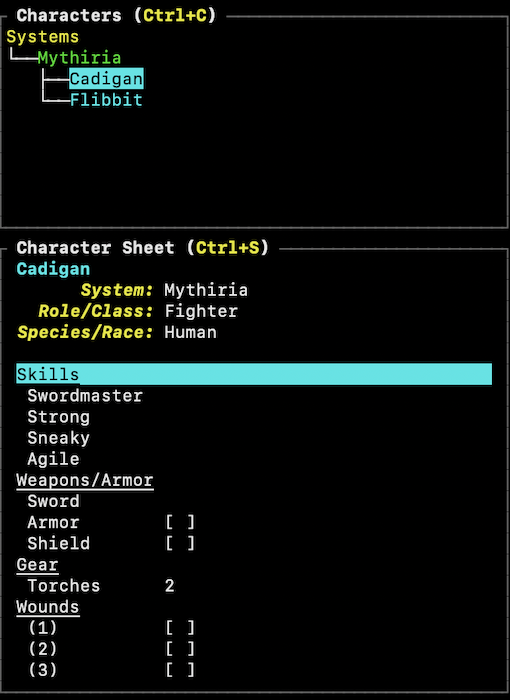
Once you've added a character, you can edit their character sheet to add entries and their values. It's simple by design, but flexible enough to track things that you reference the most.
Where Do I Get It?
The code and application are released under the MIT license. You can access both on Github.
If you find issues, have suggestions for changes, or want to submit a change you've made, please do so through Github.
Download
Click download now to get access to the following files:
Development log
- Bugfix ReleaseApr 05, 2026
- v1.2.3 ReleasedApr 02, 2026
- Upcoming ChangesMar 22, 2026
- v1.2.2 ReleasedMar 19, 2026
- Having Issues Running The App?Mar 16, 2026
- v1.2.0 ReleasedMar 14, 2026
- Sneak Peek - TablesMar 12, 2026
- v1.1.3 ReleasedMar 10, 2026
Comments
Log in with itch.io to leave a comment.
For v1.2.3.1, in the Dice and Table pop up windows pressing Shift+Tab does not result in the usual "opposite of Tab" action. Is this a limitation or intended behavior?
Thanks for pointing this out. I've added Shift+Tab to both the Dice and Table modals. You can download release v1.2.4.1 from Github.
I notice you have underlined text in the example statistics, what text formatting methodology does this use or support? I'm not very familiar with markdown or HTML, etc. and neither of those seems to work.
EDIT: The behavior in the example appears to stem from properly setting up the Section for different entries.
It appears impossible to use the lowercase letter 'n' when writing Table entries in-program, as it creates a new Table. Importing Tables is a workaround, though.
That's definitely a bug. Thanks for letting me know. I'll post here when it's fixed.
Fixed!
You can download v1.2.4 from the Releases page.
I'm impressed by the response time! But it looks like you uploaded a different, also rad program you made for the hotfix.
Well that's embarrassing! Let me know if you try Crawler out. It's something I've been working on for a little while.
I uploaded the proper version of Soloterm now.
Correct. Sections in the character sheet are underlined.
This app is so f...ing awesome that I can barely put it into words. I commute to work by train and usually have my laptop on my lap for work—now I can keep a terminal instance open at the same time and play a bit, without needing dice or cards, just pure theater of the mind.Many thanks for releasing it on Linux.P.S. It works perfectly with Loner Solo RPG (Steel & Sorcery and Dungeoneer). Thanks
This is awesome! Thanks for making it!
I'm sorry but how in the hell do I open this on linux mint
It's an actual command-line application, so from whatever terminal you're using. (As per another comment from the dev.)
Yeah I get that, it doesnt work
I may need to build it for another CPU. Run this command and let me know what it returns:
x86_64
Also worth noting I am very tech illiterate and switched to linux with my friend's help because fuck windows
Yep, that's the issue. I need to make a new release that includes x86 binaries. I will work on that this morning and post an update when it is ready.
Done! You can download an x86 version from Github.
What is the file format for the Linux download on github? I downloaded it but the file has no extension.
There is no extension. You should be able to download it, then just type the name in the terminal to execute it. Try this:
You may need to download a new binary. I re-released it with binaries for x86 and arm processors. I only had arm binaries out there, so you may need the x86 version.
Solo isn’t my preference, but this is sick. Incredible work!! I think I’ll need to figure out a way to use this anyway.
Thanks for the kind words! I've been having fun working on it as well as using it.
Any way to use this with termux on android?
I have no idea, sorry.
Just downloaded it. Simply: wow! Holy cow this is exactly what I was looking for. Not long ago, when I read the this Lonelog bookled from Zotiquest (Loner creator) I thought I need just a simple app on my Debian machine to run my solo games. Up to now, I used jrnl terminal note taking app, which it its job, but this one is way way better. I will play around with it more. I need to figure out how F2 Action, F3 Oracle and F4 Dice best work. This app is a piece of art! Thank you very much for providing this to the RPG game audience. Very cool!
Wow, thanks for the kind words! It's great to hear you find it useful. I've installed it on my linux server at home that I can SSH into and play from anywhere.
For Ctrl+T Tags, F2 Action, F3 Oracle, and F4 Dice, check out the Lonelog PDF (it's free) for guidance. I've found it very helpful for tracking things and notating mechanics.